A date stamp on plain pavement
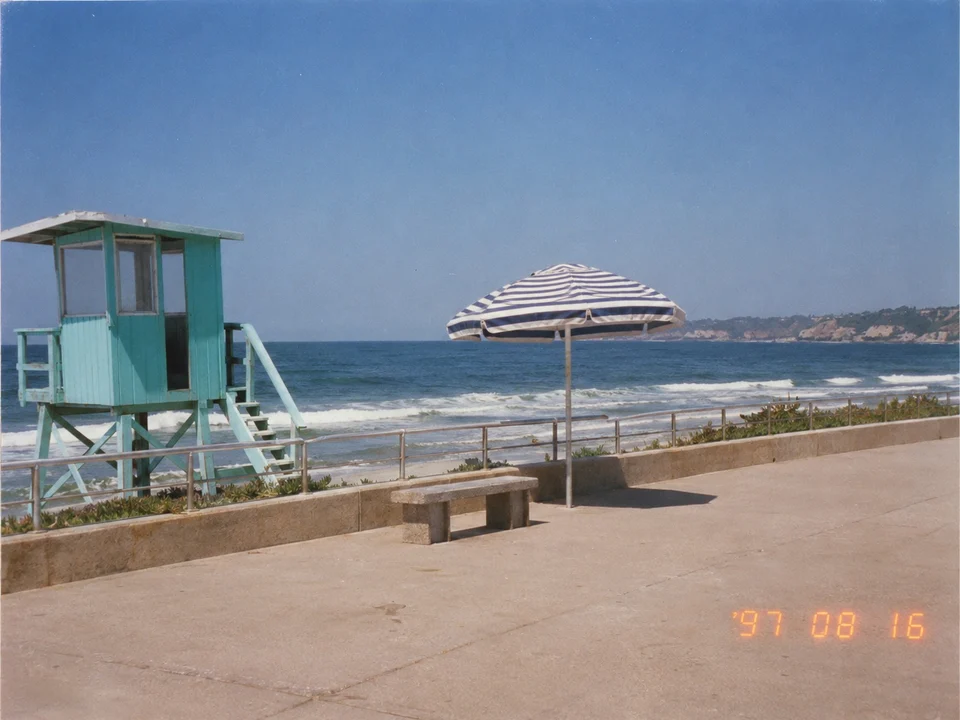
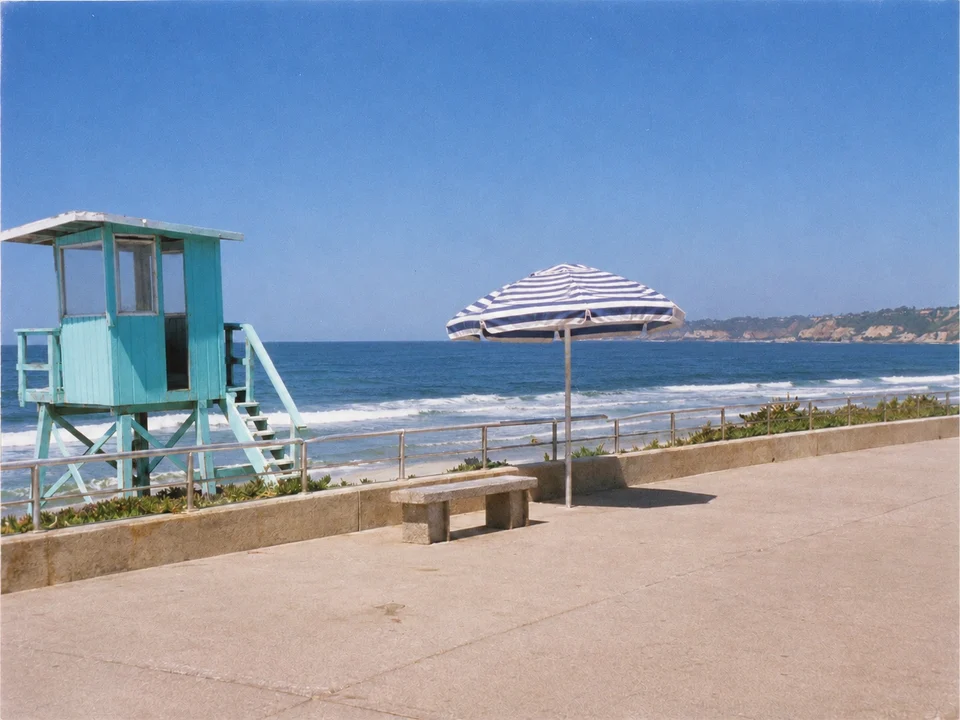
Only the digits were selected. The orange date disappeared. The pavement texture and the overall color also shifted slightly.
Compare the stamped area up close
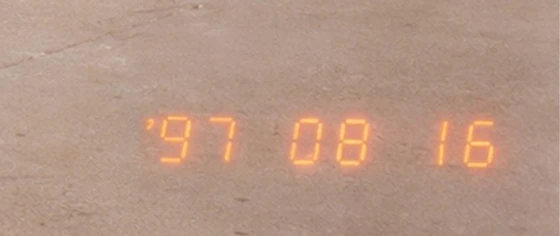

Name the exact distraction—such as a bin, cable, sign or background item—and let the focused preset reconstruct only the area it covered. Failed provider edits are refunded.
Prompts are screened before generation. Adult, sexual, harmful, abusive, deepfake and deceptive identity content is not allowed. Acceptable Use Policy.
AI editing sends your images to third-party providers. Authorized staff may review separate private copies for up to 24 hours. Our deletion deadlines do not apply to providers’ copies. Photo storage and deletion.
Choose the largest original with visible background around the unwanted object.
It estimates the missing area from surrounding perspective, texture, shadows and repeated structure. That fill is generated rather than recovered evidence. Small distractions with visible context are safer than large objects covering faces, text, unique artwork or structurally important details.
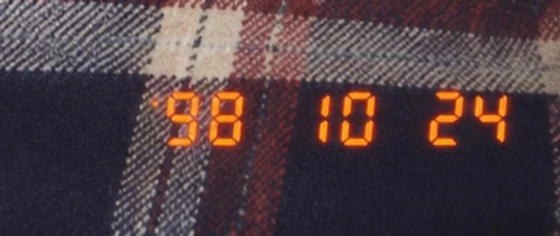
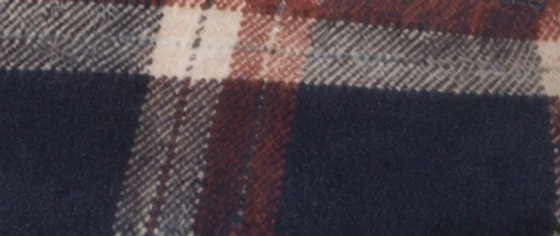
Reviewed · MendTrue methodologyBrush over the date digits in Object Remover and ask it to remove the orange camera date. These two synthetic photos were each processed once. The white area in each selection mask shows where the brush was applied.
Only the digits were selected. The orange date disappeared. The pavement texture and the overall color also shifted slightly.
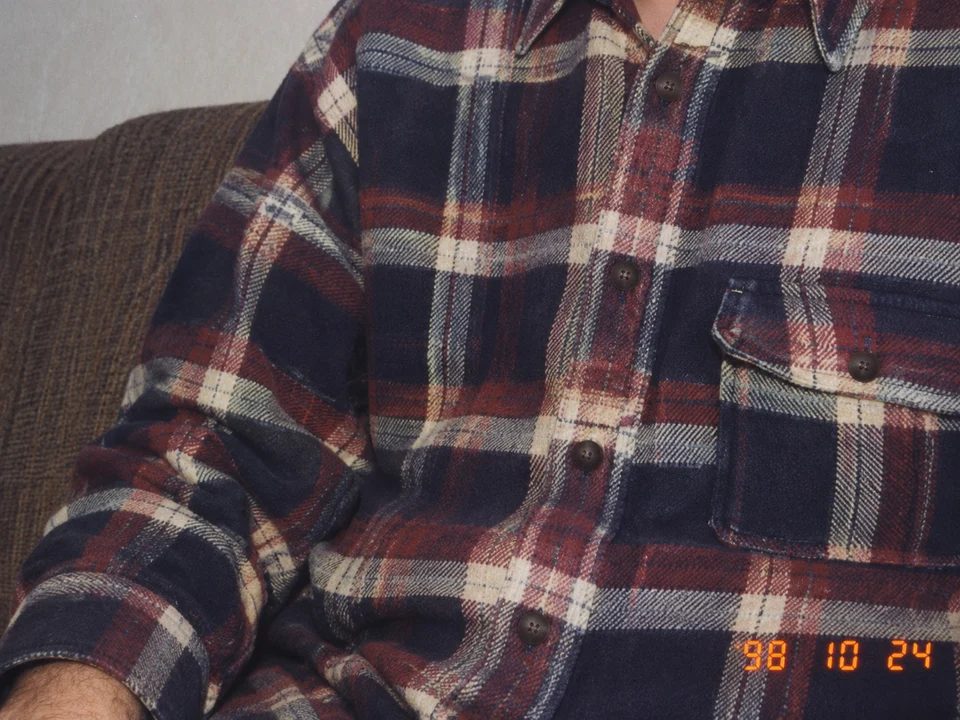
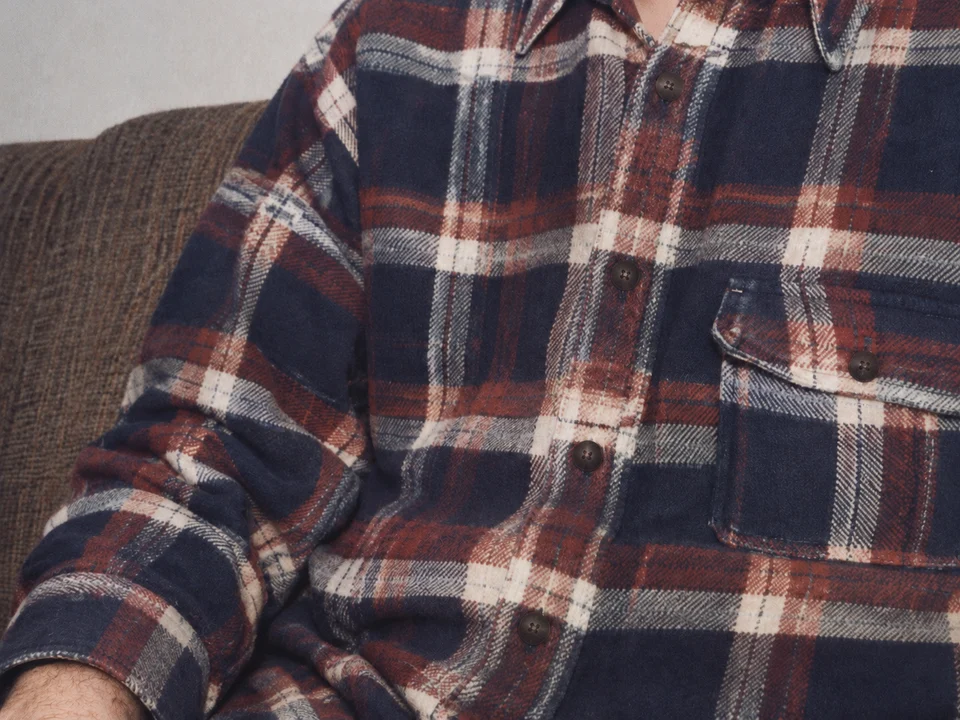
The broad plaid lines continue through the repair. The fine threads under the numbers are an estimate. Keep the original if the weave or the date matters to your archive.
For a capture date stored in EXIF metadata, use Remove Image Metadata.
A short instruction should identify exactly one target and where it appears. The model can then use nearby pixels as context without treating the entire scene as permission to redesign it.
Use color, shape and location: “the orange cone beside the rear wheel” is safer than “clean this up.”
Repeating floor, sky, wall or foliage gives the model evidence for a continuous fill. Unique covered content remains uncertain.
Check horizons, tiles, rails, mirrors and cast shadows at full size because a plausible fill can still break geometry.
Avoid a screenshot or heavily recompressed copy when a higher-resolution camera file exists.
Name what should disappear and where it is, while leaving intended people and objects unmentioned.
Compare the complete frame, especially background lines, texture, shadows, reflections and nearby body parts.
When an object hid pixels, no single photo contains those pixels. The result is a context-aware estimate and must not be presented as proof of what was originally behind the object.
Use passerby removal for people, reflection removal for glass or a local background tool when the whole backdrop—not one object—should change.